Onboarding and Offboarding: The Technology Lifecycle Nobody Gets Right
Day 1 should mean a fully configured laptop, every application ready, and all access provisioned. Last day should mean every account disabled, every license reclaimed, and zero lingering access. Most organizations nail neither.
The Two Hardest Days in IT
Ask any IT team what their most stressful recurring task is, and you'll hear the same answer: getting new hires productive on Day 1 and making sure departing employees lose access on their last day.
Both processes involve dozens of systems, multiple departments, tight timelines, and zero tolerance for error. Get onboarding wrong and a new hire sits idle, burning salary while waiting for a laptop that's "almost ready." Get offboarding wrong and a former employee retains access to systems they shouldn't — a compliance violation waiting to happen.
Most organizations handle both with a combination of tickets, spreadsheets, and tribal knowledge. Someone in HR notifies someone in IT, who follows a checklist that may or may not be current, while someone else handles the application-specific accounts. Steps get missed. Timing slips. Nobody has a complete picture of what's done and what isn't.
There's a better way.
Onboarding: From Hire to Productive in Hours
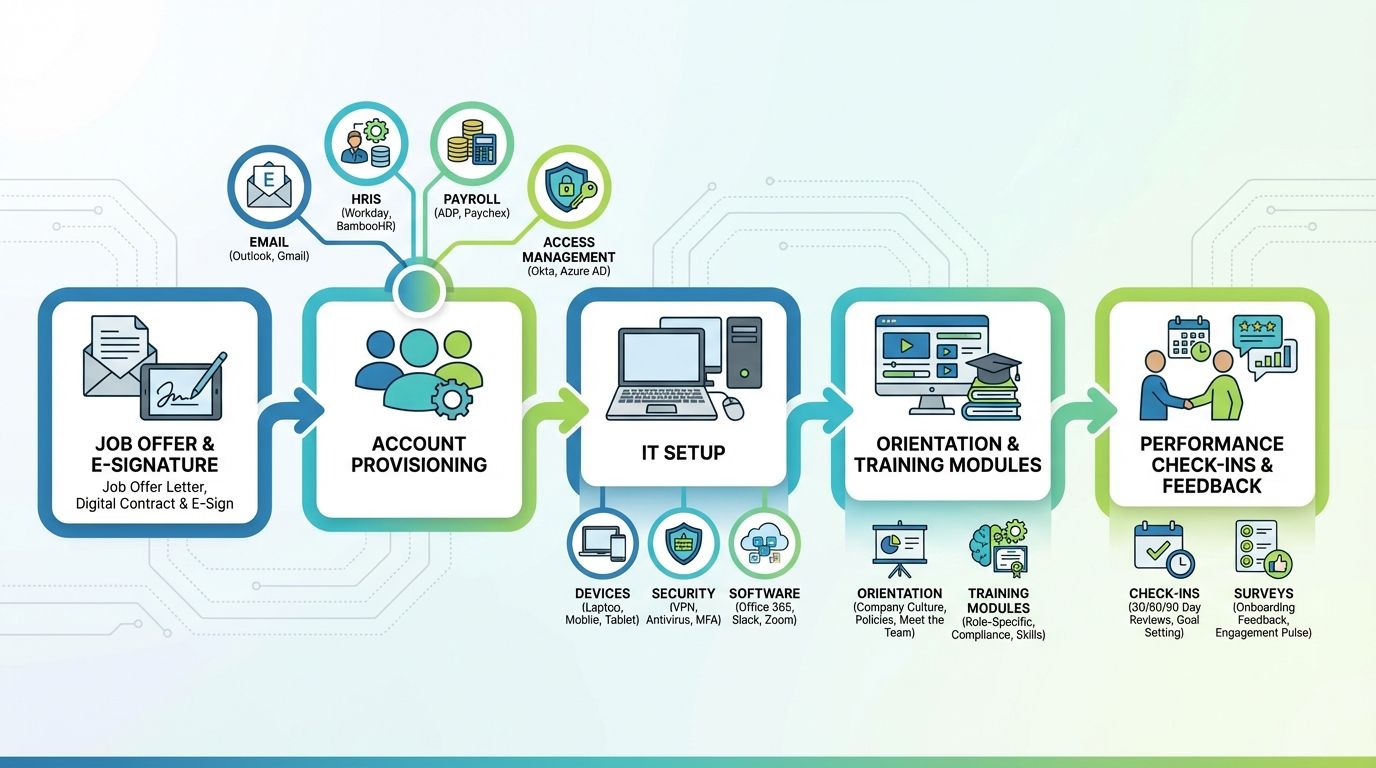
A fully automated onboarding pipeline starts the moment HR confirms a new hire. Every subsequent step happens without manual intervention.
Identity and Access
Entra AD dynamic groups handle the foundation. When a new user record appears with a specific department, job title, and location, dynamic rules automatically place them in the correct security groups. Those group memberships cascade into everything else:
- Microsoft 365 licenses assigned based on role — E3 for standard users, E5 for executives, F3 for frontline workers
- SharePoint and Teams access provisioned automatically — the right sites, channels, and document libraries based on department
- Third-party SaaS applications provisioned via SCIM — Salesforce, Slack, Zoom, whatever the role requires
- Conditional Access policies applied immediately — MFA requirements, device compliance, location restrictions
No tickets. No manual group additions. No waiting for someone to "get around to it." The identity layer configures itself based on who the person is and what they do.
Endpoint Configuration
While identity provisions access, our endpoint automation provisions the device. The moment a laptop is assigned to the new hire, role-based configuration determines the complete software stack:
Ready to modernize?
Let's discuss how intelligent IT delivery can transform your organization.
Contact Us