Managed Intune Operations
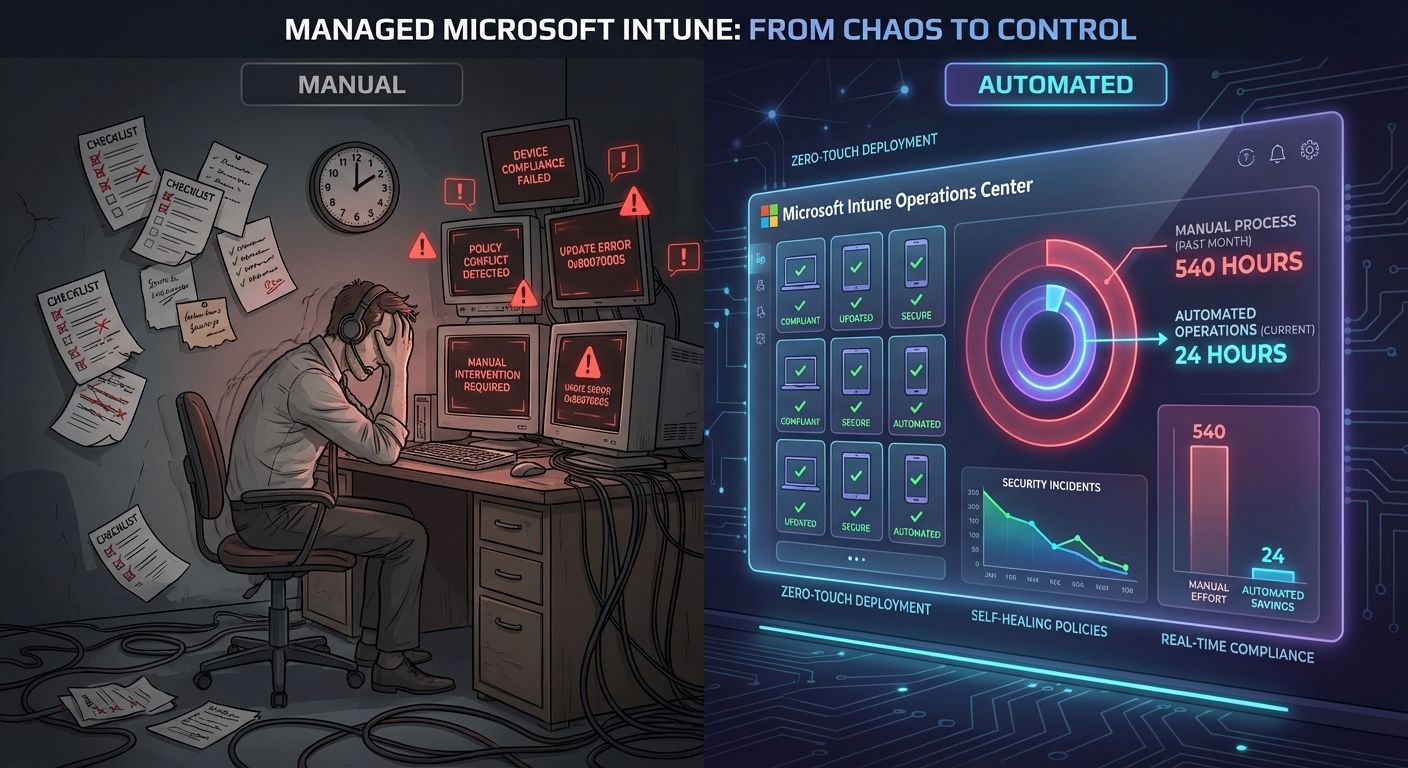
Eliminate 500-670 hours of annual Intune administration. Our automated platform reduces ongoing management to 2-4 hours per month — no full-time endpoint engineer required. Save $37,000-$50,000+ in annual labor costs.
Enterprise-Grade Intune Management, Without Enterprise Headcount
For most IT teams, Intune Win32 app management has become a hidden full-time job. Research shows that 70% of IT teams spend 6+ hours per week on security patching alone (IDC, 2025). At a scale of 800 endpoints, traditional Intune Win32 packaging and patching consumes 540–720 hours per year. Our platform cuts that to 24–48 hours — giving you back the equivalent of 0.3 FTE–0.4 FTE without adding headcount.
Microsoft Intune's new Admin Tasks feature (now generally available) centralizes privilege elevation requests, Defender security tasks, device offboarding, and multi-admin approvals into a single prioritized queue — exactly the kind of operational clarity our managed service is built to deliver. We configure and manage this workflow on your behalf, so your team sees a clean, actionable dashboard instead of scattered alerts.
Time Impact: Monthly Administration (800 Devices)
| Approach | Initial Setup | Monthly Ongoing | Annual Hours |
|---|---|---|---|
| Manual Intune Win32 | 30–40 hrs | 45–60 hrs | 540–720 hrs |
| Patch My PC | 8–12 hrs | 12–18 hrs | 144–216 hrs |
| Automox | 4–8 hrs | 10–15 hrs | 120–180 hrs |
| ImmyBot | 12–20 hrs | 8–15 hrs | 96–180 hrs |
| Our Solution | 10–16 hrs | 2–4 hrs | 24–48 hrs |
At a fully loaded IT cost of $75/hour:
- vs Manual Intune: saves $37,500–$50,000+ per year
- vs Best Commercial Tools: saves $7,500–$12,750 per year in labor alone
You get enterprise-level patching and application lifecycle management without needing an enterprise-sized IT team.
Why Manual Intune Is So Expensive in Time
Managing Win32 apps in Intune manually means repeating a long, error-prone process for every application and every update:
- Download installers from each vendor
- Run the Win32 Content Prep Tool and build
.intunewinpackages - Configure install/uninstall commands, detection rules, requirements, and dependencies
- Monitor vendor sites for new versions and repeat the entire packaging cycle
- Maintain Azure AD groups, pilot rings, supersedence, and deployment targeting
- Troubleshoot failed installs and inconsistent states across devices
At 800 endpoints and a typical app portfolio, this quickly becomes a near full-time role just to keep software current and secure.
Why Existing Commercial Tools Still Take Significant Effort
Tools like Patch My PC, Automox, and ImmyBot reduce packaging overhead, but they don’t eliminate the operational work:
- You still design and maintain deployment policies and update rings
- You still manage pilot groups, Azure AD group assignments, and targeting
- You still own testing workflows and phased rollouts
- You still handle compliance reporting and remediation of failed deployments
- Dell hardware updates remain a separate problem — typically managed with additional tools, scripts, or manual processes
You pay per-device licensing, but you still carry much of the operational burden.
How Our Platform Shrinks the Workload
Our architecture is designed to decouple the heavy lifting of application packaging from Intune deployment, so updates don’t mean more Intune work.
Key design principles:
- Decoupled Packaging & Deployment
App packaging lives outside Intune. When an app updates, you don’t rebuild or republish Intune packages. Intune stays stable while apps evolve behind the scenes.
- Automatic On-Device Updating
A lightweight startup task keeps applications current on the endpoint itself. Devices pull the latest approved versions automatically — no new Win32 packages, no new assignments.
- Role-Based Assignment, Not Group Sprawl
Role-based deployment abstracts away manual Azure AD group management. You assign apps by role or function, not by constantly juggling dynamic and static groups.
- Integrated Dell Driver & Firmware Updates
Native integration with Dell Command handles driver and firmware updates as part of the same workflow. No separate tools, no parallel processes, no extra dashboards.
The result is a system where your monthly effort is measured in hours per month, not hours per week.
Feature Comparison: Why It’s More Than Just Cheaper Labor
| Capability | Our Solution | Patch My PC | Automox | ImmyBot |
|---|---|---|---|---|
| Annual Cost (800 devices) | $9k infrastructure | $7,800+ | $9,600–$28,800 | $8,000–$12,000+ |
| Download Speed | Throttle bypass | Standard CDN | Standard CDN | RMM-dependent |
| Driver Updates | Dell Command native | Limited | Not supported | Script-based |
| Conflict Detection | Auto-mitigate | Pre/post scripts | Worklets | DSC-based |
| Role-Based Deploy | Native | Manual groups | Manual groups | User affinity |
| Live Config Updates | No repackaging | Republish app | New policy | Redeploy |
| App Catalog | 9,500+ plus private | 1,000+ | 500+ | 1,200+ |
| Agent Required | None (Intune only) | None (Intune) | Automox agent | ImmyBot + RMM |
| White Glove Deploy | No user login needed | User login required | Agent install | USB onboarding |
| Vendor Lock-in | None | Subscription | Subscription | Subscription |
Highlights:
- No Agent Overhead: Uses Intune natively — no extra agent to deploy, secure, or maintain.
- Massive Catalog: 9,500+ applications plus support for private apps, versus hundreds or low thousands elsewhere.
- Live Configuration Changes: Adjust configurations without repackaging or redeploying apps.
- White Glove Friendly: Devices can be fully provisioned and updated without the user ever logging in.
- No Vendor Lock-In: You’re investing in infrastructure, not per-device licensing that traps you over time.
Cost Comparison: Fixed Infrastructure, No Per-Device Tax
| Solution | Annual Cost (800 Devices) |
|---|---|
| Our Solution (infrastructure only — no licensing fees) | $9,000 (dropping to $1,200 with v2) |
| Patch My PC Enterprise Plus | $7,800+ |
| Automox PatchOS ($1/endpoint/month) | $9,600 |
| Automox Automate Essentials ($3/endpoint/month) | $28,800 |
| ImmyBot (per-endpoint + $400 minimum) | $8,000–$12,000+ |
Key economic advantages:
- Fixed Infrastructure Cost: Your spend is essentially flat whether you manage 800 or 8,000 devices.
- No Per-Device Licensing: As you scale, your effective cost per endpoint drops dramatically.
- v2 Optimization: With v2, annual infrastructure cost drops to $1,200, making the labor savings overwhelmingly positive even at small scales.
ROI: Quantified Value vs Alternatives
| Value Component | vs Manual Intune | vs Patch My PC | vs Automox | vs ImmyBot |
|---|---|---|---|---|
| Admin Time Savings | $46,800 | $10,800 | $9,000 | $7,200 |
| Avoided Licensing | $0 | $7,800 | $9,600 | $10,000 |
| White Glove Value | $12,000 | $12,000 | $12,000 | $8,000 |
| Other Efficiencies | $15,000 | $10,000 | $8,000 | $6,000 |
| Net Annual Value | $64,800 | $31,600 | $29,600 | $22,200 |
What this means in practice:
- You reclaim hundreds of IT hours per year that can be redirected to security hardening, automation, and strategic projects.
- You avoid ongoing per-endpoint licensing that grows linearly with your device count.
- You consolidate app, patch, and Dell driver/firmware management into a single, Intune-native workflow.
Who This Is For
- Organizations with ~800–8,000+ Intune-managed endpoints
- Teams that want enterprise-grade patching and app lifecycle management without adding headcount
- IT leaders looking to reduce operational toil, avoid vendor lock-in, and maximize the value of their existing Intune investment
If your team is spending more time on packaging, patching, and troubleshooting than on strategic initiatives, this approach turns Intune into a low-touch, high-scale platform — without the enterprise staffing requirements that usually come with it.
Ready to get started?
Stop spending hours managing Intune manually. Let's discuss how our managed platform can transform your endpoint operations.
Contact Us